

How to Buy Reliable Tech Gear Without Wasting Money

Last Updated: October 26, 2026
Quick Summary
To buy reliable tech gear, run a six-question checklist before paying: confirm the exact problem it solves, check compatibility with your devices, read independent durability testing, verify warranty and returns, confirm the seller is traceable, and calculate total cost over two years. Roughly half the items in your basket will fail at least one question.
- Match charger and cable power ratings to your most demanding device, not the highest number on the box.
- Sort reviews by most recent and look for repeated failure patterns rather than single complaints.
- The Consumer Rights Act 2015 gives a 30-day right to reject faulty goods for a full refund.
- Counterfeit electronics are the biggest reliability risk in online shopping and often skip safety circuitry.
- A £4.99 cable replaced twice a year costs about £29.94 over three years versus £14.99 once.
Table of Contents
- Start With a Tech Buying Checklist Before You Spend
- Match Product Specifications to How You Actually Use It
- How to Check Gadget Compatibility Before You Order
- Reading Reviews and Independent Reliability Testing
- Tech Product Warranty and Returns: What to Confirm First
- How to Avoid Counterfeit Electronics and Verify Sellers
- Total Cost of Ownership: Why the Cheapest Option Costs More
- Build Your Own Reliable Tech Gear Kit
- Frequently Asked Questions
Start With a Tech Buying Checklist Before You Spend
Most people buy tech gear backwards: they see a deal, order it, then discover the charger doesn't fit or the seller vanishes when something fails. Reliable tech gear comes from a short, disciplined process, not luck or a discount. Buyers who ask six questions before paying end up with kit that lasts; impulse buyers replace the same items twice a year.
Here is the checklist we would run through ourselves before any purchase.
The Six Questions That Filter Out Bad Purchases
- What exact problem does this solve, and how often do I hit it? Daily use justifies a higher spend. Weekly use rarely does.
- Does it work with what I already own? Check ports, power ratings and connectors before anything else.
- What do independent testers say about durability? Marketing copy says nothing useful about how a product holds up.
- What happens if it fails in month three? Warranty length, return window and repair options matter more than the star rating.
- Is this seller verifiable? A marketplace listing is not the same as a manufacturer you can trace.
- What is the total cost over two years? Cheap gear that needs replacing twice costs more than it appears to.
Run the six questions honestly and roughly half the items in your basket will fail one of them.
Match Product Specifications to How You Actually Use It
Specifications are only meaningful against a use case. A 20W charger is perfect for a phone overnight and useless for a laptop; a 100W cable is overkill for earbuds and essential for a MacBook. Buy the number that fits your routine, not the highest on the box.
Think in terms of three usage bands:
- Daily carry: phone, earbuds, a short charging cable. Prioritise size, weight and connector durability.
- Desk and home office: laptop, monitor, permanent charging setup. Prioritise power delivery, cable length and port count.
- Travel and weekends: power banks and multi-device chargers. Prioritise capacity, built-in cables and safety features.
Write down your actual daily devices before you shop, it is the single easiest way to avoid buying the wrong thing.
How to Check Gadget Compatibility Before You Order
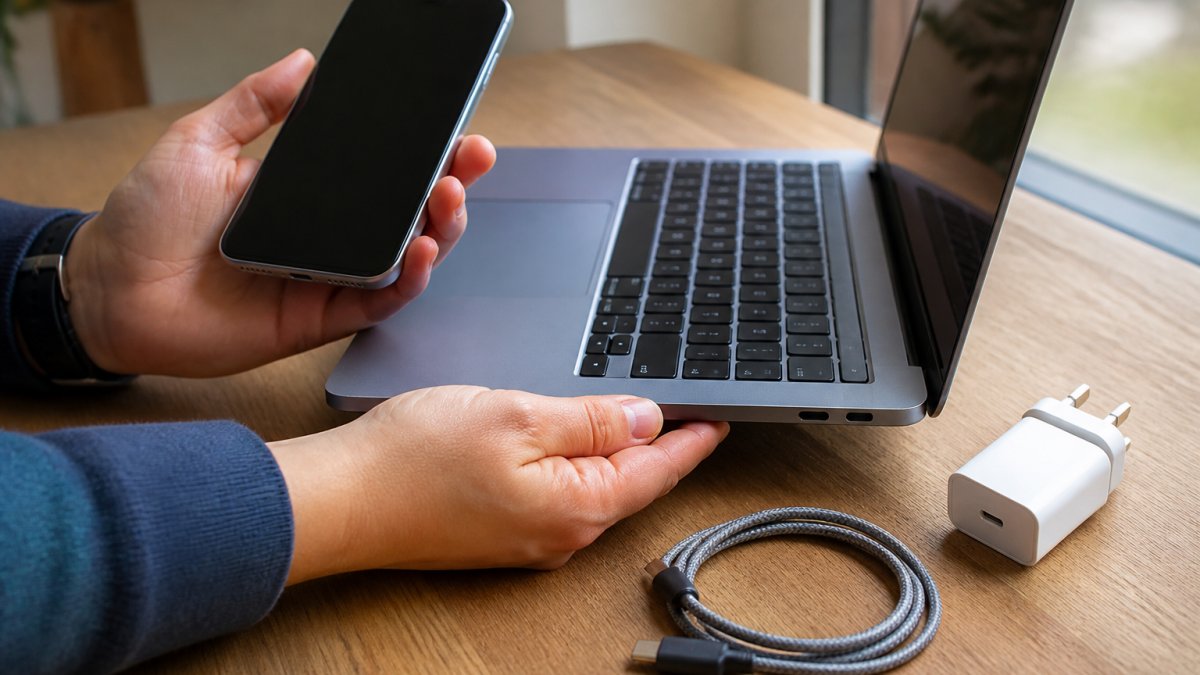
Compatibility checking means confirming three things before you pay: connector type, the power rating both devices can handle, and the data standard if you plan to transfer files. Get one wrong and the product won't work, or will work slowly and unreliably.
Ports, Power Ratings and the Specs That Actually Matter
Start with the connector. USB-C has largely replaced micro-USB and Lightning on newer devices, but plenty of older kit still uses the older standards.
Then check power. A 20W charger fills a phone quickly and a laptop barely at all; a 60W cable handles a phone or tablet comfortably but may limit a high-power laptop.
Data speed is the third check. Many charging cables transfer at USB 2.0 speeds, fine for charging, slow for large files.
A simple compatibility audit before checkout:
- List every device you want to charge or connect
- Note each device's connector type
- Note each device's maximum charging wattage
Reading Reviews and Independent Reliability Testing
Customer reviews tell you about the first two weeks of ownership; independent durability testing tells you about month eighteen. Both matter, but conflating them is why so many buyers end up disappointed.
Sort reviews by most recent and look for patterns rather than individual complaints. One person saying a cable failed is noise; twenty describing the same connector failure after three months is a signal.
Independent testing fills the gap reviews cannot. Organised durability tests put cables through repeated bending, pull force and connector stress, evidence that separates a cable surviving a year in a bag from one that fails in a month.
Watch out: review scores are easily gamed by sellers who bundle free gifts in exchange for five stars. If a listing has hundreds of glowing reviews but no detail about long-term performance, treat the rating as unverified.
Tech Product Warranty and Returns: What to Confirm First
Warranty and returns decide whether a failure is a minor annoyance or a total loss. Under consumer law, goods must be as described, of satisfactory quality and fit for purpose, and you have a legal right to a remedy if they are not (Avoid unfair terms in sales contracts: Implied and statutory rights).
Most buying guides stop at "check the warranty." What matters is comparing the warranty as a reliability feature, the same way you would compare battery capacity or port count.
Compare Warranty Coverage Like a Specification
Put the warranties of two or three candidate products side by side and score them on the same criteria:
- Length. A 12-month warranty is the legal minimum expectation for many goods; 24 months or longer signals the manufacturer expects the product to survive. Note whether the period runs from purchase or from manufacture.
- What is covered. Manufacturing faults only, or also normal wear? Cables and batteries are usually excluded from wear cover, which is precisely the failure mode that matters most.
- Who honours it. A warranty handled by the manufacturer is generally more durable than one handled only by a marketplace seller who may disappear.
Know What Your Statutory Rights Add
Retailer warranties are a commercial promise; your statutory rights are separate and often stronger. The Consumer Rights Act 2015 gives you a 30-day right to reject faulty goods for a full refund, then a right to repair or replacement, then a price reduction or final refund. If something does go wrong, this step-by-step guide explains how to return damaged online orders.
Apple Genuine 20W USB-C Power Adapter →
Repairability Is the Reliability Factor Nobody Checks
A product that can be repaired cheaply and quickly is more reliable in practice than one that must be replaced. Before you buy, check:
- Replacement parts. Are batteries, cables, tips or filters sold separately and at a sensible price?
- Repair options. Does the manufacturer offer a repair service, or does it only replace?
- Design. Are parts user-replaceable, or is the item sealed and glued?
A charger with a two-year warranty and no replacement parts is a worse long-term bet than one with a one-year warranty and a £10 replacement cable. Score repairability alongside the warranty, not after it.
Confirm the warranty points, check the statutory rights underneath them, and judge repairability before you pay.
How to Avoid Counterfeit Electronics and Verify Sellers
Counterfeit electronics are the single biggest reliability risk in online shopping, and far more common than most buyers assume. Fake chargers and cables often look identical to the real thing but may skip the safety circuitry that prevents overheating and short circuits.
Verify the seller before you verify the price:
- Check whether the seller has a traceable business identity, not just a marketplace username.
- Look for a consistent product range rather than a random assortment of unrelated items.
- Be suspicious of prices far below the going rate for a known brand.
A guide on whether buying cheap charging cables is safe explains the warning signs in more detail. The short version: if a branded charger costs a fraction of what the same model costs elsewhere, it is almost certainly not genuine, and the safety risk is real.
Total Cost of Ownership: Why the Cheapest Option Costs More
The cheapest item on the shelf is rarely the cheapest over time. Total cost of ownership means adding up everything a product costs across its useful life, not just the listing price. A cable costing a few pounds that fails three times a year costs more than one costing three times as much that lasts three years.
The Five Cost Categories to Add Up
- Purchase price. The figure on the listing.
- Consumables and accessories. Replacement cables, tips, filters, cases and adapters that the product needs to keep working.
- Energy use. Chargers and always-on devices draw power; a more efficient unit can cost less to run over several years.
- Repairs and replacements. The cost of a repair, or of buying the item again when it fails outside warranty.
- Subscriptions and software. Some gear only delivers its full function with a paid app or service; that recurring cost belongs in the total.
A Worked Example
Take two charging cables for a daily-carry bag:
- Cable A: £4.99, no warranty beyond statutory rights, typically replaced twice a year.
- Cable B: £14.99, 24-month warranty, expected to last three years.
Over three years, Cable A costs roughly £4.99 × 6 = £29.94 in purchase price alone, before you count the time spent reordering and the morning it fails. Cable B costs £14.99 once. The apparent saving of £10 at checkout becomes a £15 loss over the period, and that is before factoring in the inconvenience. Run the same arithmetic for chargers, power banks and accessories; the pattern repeats.
Factor In Your Own Habits
The model only works with realistic numbers. If you rarely travel, a larger power bank may never earn back its extra cost; if you charge several devices daily, a higher-wattage charger that runs cooler and lasts longer may beat a cheaper unit that runs hot.
Run the numbers for your own habits before you buy. The gap between the cheap option and the reliable one is usually larger than buyers expect, and it widens once you count repairs, consumables and the frustration of a dead cable on a morning you needed it.
Build Your Own Reliable Tech Gear Kit
A reliable kit is a small, deliberate set of items covering your actual daily needs, not a drawer of mismatched cables from five sellers. Build it once, properly, and replace items only when they genuinely fail.
A sensible core kit for most people:
| Item | What to Look For | Example |
|---|---|---|
| Fast charger | Matches your device's max wattage, safety certified | Apple Genuine 20W USB-C Power Adapter, £24.99 |
| Primary cable | Correct connector, power rating that fits your devices | Apple USB-C to USB-C 60W Woven Cable 1m, £20.00 |
| Spare cable | Durable build, sensible length | USB Type C to USB C 1M 100W Cable, £11.99 |
| Power bank | Capacity that covers a full day out, built-in cables | 20000mAh Power Bank with Dual Built-in Cables, £22.99 |
The 20000mAh power bank, for instance, includes built-in USB-C and Lightning cables plus a detachable Micro-USB, so it covers three devices without extra cords, a specification that removes a failure point rather than adding one.
If you want a dependable power bank to round out your reliable tech gear kit, the 20000mAh power bank with dual built-in cables covers a full day of charging for multiple devices.

Buying reliable tech gear is not about spending more.
Frequently Asked Questions
What should I check before buying tech gear?
Run through a short tech buying checklist: confirm the product specifications match your daily use, check compatibility with the devices you already own, read customer reviews and technical reviews for failure patterns, and confirm the warranty and returns terms. Also verify the seller is legitimate. A 20W USB-C adapter at £24.99 that matches your phone's charging standard is a better buy than a cheaper unbranded plug that runs hot and fails within months.
How can I tell whether a tech product is reliable?
Look for evidence rather than marketing claims. Check whether the listing states real specifications (output wattage, capacity in mAh, cable power rating), whether independent reliability testing or long-term reviews exist, and whether the seller offers a clear warranty. Braided cables, multi-layer protection against overcurrent and overheating, and named safety chips are concrete signs of build quality. Vague claims with no numbers are a warning sign.
How do I check if a gadget is compatible with my devices?
Start with the connector type and power rating. A USB-C to USB-C cable rated at 60W will charge a phone, tablet or laptop that accepts USB-C power delivery, while a 100W cable covers higher-draw laptops. Check the charger's output against your device's input, confirm the port shape, and read the listing's compatibility list. If a product page does not state its power rating or supported devices, treat that as a gap and ask before ordering.
How can I avoid counterfeit electronics?
Buy from sellers who can explain where stock comes from and what packaging to expect. Counterfeit risk rises sharply on marketplace listings with prices far below the norm. Check that the seller names the model number, states the specifications precisely and offers returns. Be wary of items shipped in plain packaging without explanation; a legitimate seller will tell you upfront, as with genuine Apple accessories supplied in secure own-brand packaging rather than the original retail box.
