

Fast Charging Cable Durability Testing 2026

Table of Contents
- Why Fast Charging Cable Durability Testing Matters in 2026
- How to Run a Charging Cable Bend Test at Home
- Using a USB-C Cable Tester to Measure Charging Performance
- Reading a USB-C Cable Power Rating and Wattage Limits
- What Determines Charging Cable Lifespan
- Lab Tests vs Informal Demonstrations: What the Evidence Actually Shows
- Safety, Failure Analysis and Spec Verification
- Conclusion
- Frequently Asked Questions
Last Updated: October 19, 2026
Why Fast Charging Cable Durability Testing Matters in 2026
A charging cable fails at the worst possible moment: mid-commute, mid-meeting, mid-workout. Fast charging cable durability testing in 2026 is how you find out whether a cable will survive daily abuse before you rely on it.

Most buying guides skip an uncomfortable truth: a cable can pass every electrical check on day one and still fail mechanically by month three. Durability is a separate question from wattage and deserves its own test.
Most people never test at all: they buy on price, lose the cable, and buy again, an expensive, wasteful cycle.
How to Run a Charging Cable Bend Test at Home
The biggest home-testing mistake is bending the cable anywhere and calling it a test. Real wear concentrates at two points: where the connector meets the jacket, and where the strain relief flexes. Stress those, not the middle.

A reproducible charging cable bend test needs a fixed angle, count, force, and record. Here is the protocol we would use, written so you can repeat it and compare cables.
Test rig (improvised, no lab needed)
- A cylindrical mandrel, a marker pen, a wooden dowel, or a rolling pin. Measure its diameter and record it. A 10 mm mandrel is a common starting point; a tighter radius is harsher.
- A clamp or vice to hold the mandrel steady so the bend radius does not drift.
- A notebook or spreadsheet logging cable ID, cycle count, bend angle, mandrel diameter, visible damage, and charging result.
Procedure
- Set the bend radius. Clamp the mandrel horizontally; the cable wraps around it so the bend radius equals half the mandrel diameter. Record that number, a claim of "10,000 bends" is meaningless without it.
- Fix the bend angle. Flex the cable 90 degrees at the strain relief against the mandrel, then back to straight. That is one cycle. Use the same angle every time; a protractor or marked card helps.
- Set a cycle rate. Aim for roughly one cycle per second, slow enough to keep the angle consistent, fast enough to finish 500 cycles in under ten minutes. Do not speed up mid-test.
- Count in blocks of 50. After each block, straighten the cable, inspect the jacket under bright light for cracking, whitening, or exposed conductor, and note any change.
- Test a sample, not one cable. Where possible, run three cables of the same model, one can be a dud or a fluke; three give you a pattern. Record each result separately.
- Stop at first failure. Define failure in advance: exposed conductor, a jacket crack reaching the wire, or a charging fault. The cycle count at first failure is your durability figure.
Pass/fail criteria you can actually apply
- Pass: no exposed conductor, no crack through the jacket, and the cable still charges at its rated wattage after the full cycle block.
- Conditional: jacket scuffed or whitened but intact, and charging unaffected. Note it and continue.
- Fail: exposed wire, intermittent charging, or a connector that no longer seats firmly. Retire the cable.
A "10,000 bends" claim means nothing without the bend angle, mandrel diameter, and test rig.
Using a USB-C Cable Tester to Measure Charging Performance
A USB-C cable tester answers what your phone cannot: is this cable delivering the power it promises, and still doing so after wear?
What to measure, and why
- Voltage at the device end. A healthy cable loses little voltage along its length; a rising drop under load points to thinning conductors or a failing solder joint.
- Current. Compare the current the device draws against the charger's rated output. A shortfall suggests the cable, not the charger, is the bottleneck.
- Wattage. Voltage multiplied by current, the headline number most people watch, though it hides the voltage-drop story underneath.
- Resistance. Record it if your tester reports it. Resistance creeping upward after bend cycles is an early warning of conductor damage before the jacket shows anything.
- Temperature. After ten minutes of charging, touch the connector and the cable near the plug. A connector noticeably warmer than the cable body signals resistance building in the connection.
Procedure: baseline, wear, re-measure
- Baseline. With a known-good charger and a device that accepts the cable's rated wattage, record voltage, current, wattage, and resistance (if available) after two minutes of steady charging. Note the charger model and device.
- Run the bend test. Use the protocol above and record the cycle count.
- Re-measure. Repeat the baseline under the same charger and device, at the same state of charge if possible. Compare like with like.
- Interpret the delta. A small wattage change is normal. A consistent current drop or resistance rise after repeated bending means the internal conductors have started to fail, even if the jacket looks fine. That before-and-after comparison is the most useful number a home tester gives you.
Test more than one charger. Run the same cable across two or three chargers and compare readings.
Continuity and data checks. Many testers flag a broken data line, which explains why a cable charges but will not sync. Run a data transfer test alongside the charging test; a cable that passes power but fails data has a partial failure worth recording.
What a tester cannot tell you. It measures electrical performance at a moment in time, not mechanical wear, jacket integrity, or how the cable will behave in six months.
Reading a USB-C Cable Power Rating and Wattage Limits
A USB-C cable power rating is the maximum wattage the cable is built to carry safely, set by the wire gauge and the electronics inside the connector.
Here is how the common ratings break down:
USB C to USB C 60W TPE Braided Black Fast Data Charging Cable VD-DC09CC →
| Power Rating | Typical Use | What It Means for You |
|---|---|---|
| 60W | Phones, tablets, most laptops | Fine for everyday fast charging |
| 100W | Larger laptops | Needs thicker conductors |
| 240W (PD 3.1) | High-power laptops, docks | Requires an eMarker chip |
The eMarker is a small chip in the connector that tells the charger how much power the cable can handle. Without one, a 240W charger will default to a safe lower output.
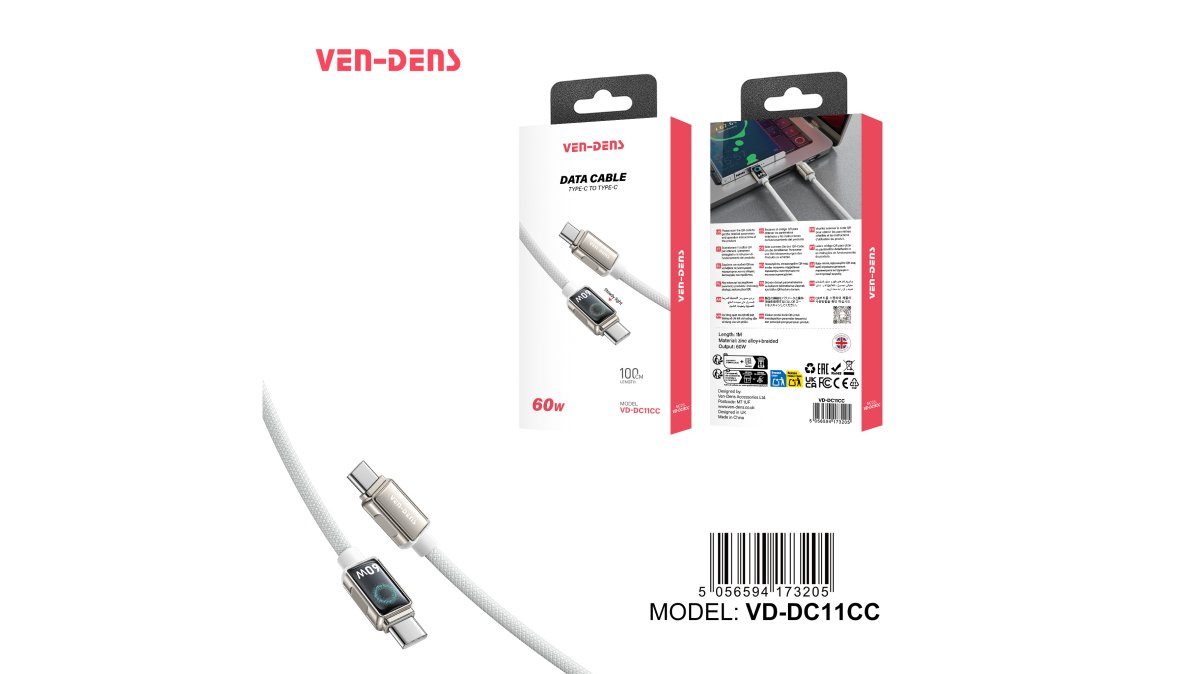
For most phones and tablets, a 60W cable is more than enough. Our USB-C to USB-C 60W braided cable carries up to 60W and uses a flexible TPE build designed to resist bending, which suits daily charging and data transfer.

The official USB-C specification is the reference point for what any cable should safely deliver. Check it before trusting an unlabelled bargain cable.
What Determines Charging Cable Lifespan
Charging cable lifespan comes down to four things: conductor quality, jacket material, strain relief design, and how you treat the cable. Get all four right and a cable lasts years. Get one wrong and the rest will not save it.
- Conductors: thicker copper handles more current without heating.
- Jacket: braided sleeves resist fraying better than plain plastic.
- Strain relief: the flexible collar at each connector absorbs bending stress.
- Habit: coiling loosely instead of yanking the cable out by the wire.
Bend-cycle testing is the standard way labs measure this. A cable rated for many bend cycles at a defined angle should outlast one with no rating, but treat those figures as a comparison tool, not a guarantee.
Lab Tests vs Informal Demonstrations: What the Evidence Actually Shows
Lab durability tests and viral bend-test videos are not the same thing. A lab test fixes the angle, speed, cycle count, and pass/fail criteria, then repeats it identically across cables. An informal demonstration usually shows one cable, one angle, and one dramatic failure.
That difference matters when buying. A video of a cable surviving a few hundred bends proves only that it survived those bends; a documented test with a stated protocol lets you compare products on equal terms.
What we can do is explain the protocol so you can run a fair comparison yourself and read manufacturer claims critically.
Safety, Failure Analysis and Spec Verification
Safety comes down to spotting failure early. A failing cable usually warns you first: a warm connector, a loose fit, intermittent charging, or a visible crack at the strain relief. Act on those signs.
Failure analysis is simple. When a cable dies, check where it broke: at the connector points to strain relief weakness; mid-cable points to a crushed or sharply bent jacket. That tells you whether to change the cable or your habits.
Spec verification is the last line of defence. Look for a stated wattage, a named connector material, and a clear power rating on the listing. Our zinc alloy braided 60W cable lists its model, materials, and 60W maximum output, so you know exactly what you are buying.
Conclusion
The challenge is not finding a fast charging cable but one that still charges at full speed after a year of daily use. That takes a repeatable test, an honest reading of the power rating, and a habit of checking for early failure signs.
At Metanoia media, we stock USB-C cables with the specs printed plainly: 60W output, TPE or braided builds, and metal connectors on selected models. Run our bend-test protocol on whatever you buy, and you will know within a month whether it is built to last.
View all
Frequently Asked Questions
How can you test whether a fast-charging cable is durable?
Start with a simple charging cable bend test: bend the cable around a fixed rod at a consistent angle and count cycles, checking for fraying or changes in charging current every few hundred bends. Use a USB-C cable tester to record wattage before and after. A cable that holds its power rating through 1,000 to 2,000 bends is generally showing good durability. Keep the test repeatable so you can compare cables fairly rather than relying on how stiff or thick a cable feels.
How long should a charging cable last?
Charging cable lifespan depends on how often it is bent, coiled and pulled. A well-made braided USB-C cable used daily at a desk can last two to three years, while one that is repeatedly wrapped tightly around a charger may fail within months. Bend resistance, strain relief and connector construction matter more than price. If a cable stops fast charging or the connector feels loose, replace it rather than continuing to use it.
How can you tell whether a USB-C cable supports fast charging?
Check the USB-C cable power rating on the packaging or listing: a 60W cable supports up to 20V at 3A, while 100W and 240W cables need an eMarker chip to negotiate higher power. Pair it with a compatible charger and device, then confirm the actual wattage with a USB-C tester. A cable rated below your device's requirement will still charge, but at a lower speed. Match the cable rating to your charger and device for full fast charging.
What tools can test a USB-C cable's charging performance?
A USB-C cable tester or inline power meter is the most practical tool. It shows voltage, current and wattage in real time, so you can confirm whether a cable delivers its rated power and whether that changes after wear. For data, a basic continuity check with a multimeter can spot broken wires. You do not need lab equipment: a tester, a known charger and a consistent bend test give you enough evidence to compare cables and spot failures early.