

Does Fast Charging Damage Phone Battery? A Practical Guide

Last Updated: November 19, 2026
Quick Summary
Fast charging damage is not a real risk on its own, because a modern phone and matched charger work together to push power in safely. Heat is the real problem, not speed, so keep the phone cool and use the 30-80% window where you can.
- A 120W brick does not force 120W into a phone that only wants 25W; the phone asks for what it can handle.
- Phones often charge fastest from 0-50% and then slow down to protect the cell.
- Keep your phone between roughly 30% and 80% charge as an everyday default.
- Wireless charging is less efficient than wired, and the lost energy shows up as heat.
- Modern phones stop charging at full and hold the level, so overnight charging risk is low.
Table of Contents
- How Fast Charging Actually Works
- Fast Charging vs Slow Charging Battery Health
- Does Fast Charging Cause Overheating?
- How to Charge a Phone to Preserve Battery Health
- Is It Safe to Leave a Phone Charging Overnight?
- Choosing Chargers That Protect Your Battery
- Browse Charging Accessories That Suit Your Daily Routine
- Frequently Asked Questions
How Fast Charging Actually Works
Does fast charging damage phone battery? The short answer to whether fast charging damage is a real risk is no, not on its own. A modern phone and a matched charger work together to push power in safely, and heat is the real problem, not speed. This guide explains what happens inside the phone, when charging habits start to cost you capacity, and how to charge in a way that keeps your battery healthy for years.
Fast charging is the practice of delivering more power to a phone than a standard 5W charger can, so the battery fills in less time. Power is watts, and watts are voltage multiplied by amperage. Raise either one and the phone charges quicker.
A lithium-ion battery does not accept power at one steady rate. It moves through stages:
- Constant current. The charger pushes a fixed current while voltage climbs.
- Constant voltage. Voltage holds steady and current tapers off.
- Trickle charging. A small top-up keeps the battery full.
The Power Management Integrated Circuit and Charging Protocols
The power management integrated circuit is the chip inside your phone that decides how much power to accept. It talks to the charger through a fast charging protocol, such as USB Power Delivery or Samsung's PPS standard, and they agree on a safe voltage and current.
This handshake is why a 120W brick does not force 120W into a phone that only wants 25W. The phone asks for what it can handle. The charger supplies it. Neither side runs blind.
Fast Charging vs Slow Charging Battery Health
Fast charging versus slow charging battery health comes down to heat and time at full charge, not wattage alone. A slow charge generates less thermal stress, but it also keeps the battery sitting at 100% for longer if you leave it plugged in. Both have a cost.
Here is the honest comparison:
- Fast charging: more heat per minute, less total time on the charger.
- Slow charging: less heat, but often hours sitting at full capacity.
- The winner: neither, in absolute terms. A cool fast charge beats a hot slow one.
Battery degradation is driven by two things you can control: temperature and how long the cells rest at a high state of charge. Wattage matters only because it affects the first.
Does Fast Charging Cause Overheating?
Does fast charging cause overheating? It can raise temperature, but a well-made phone and charger keep it within safe limits. Overheating happens when heat cannot escape, and that is usually a habit problem, not a charger problem. The useful question is not whether fast charging makes heat, it does, because pushing more current through the cell and the charging circuit always produces some, but whether the phone can move that heat away faster than it builds up.
Inside the phone, heat comes from three places during a fast charge: the battery cell itself as ions move through the electrolyte, the power management integrated circuit and charge pump that convert voltage, and the charging coil if you are charging wirelessly. A phone designed for 65W or 120W charging spreads that heat across a larger vapour chamber or graphite sheet and throttles the charge rate when the internal temperature sensor reports a rise. That throttling is why a phone often charges fastest from 0-50% and then slows down: the phone is protecting the cell, not failing to deliver the advertised wattage.
Common causes of excess heat:
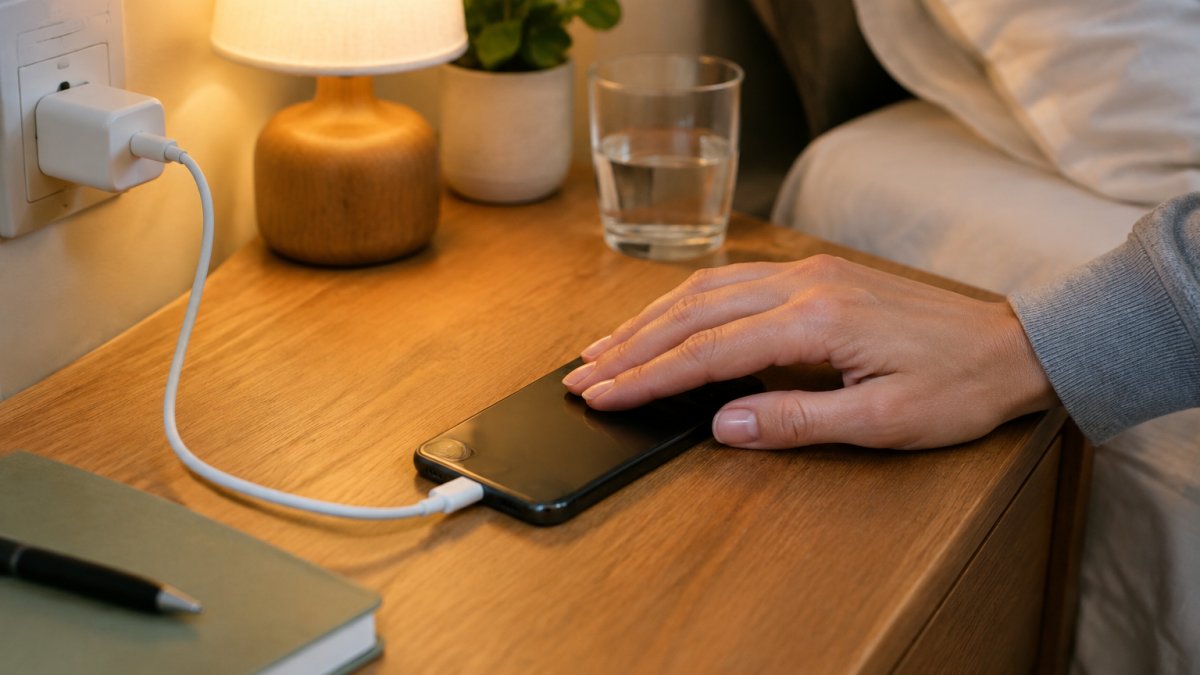
- Charging under a pillow or duvet, which traps warm air against the phone
- A thick case that insulates the back of the phone
- Charging in direct sun or a hot car, where ambient temperature is already high
- A cheap, uncertified charger pushing unstable voltage the phone has to regulate
- Gaming or streaming while plugged in, which adds processor heat to charging heat
- Wireless charging on a pad that is not aligned with the coil, which wastes energy as heat
If the phone feels hot to the touch, unplug it and let it cool. A phone that is warm is normal. One that is uncomfortable to hold is not. Most phones will warn you or pause charging before the cell reaches a temperature that causes lasting damage, but repeated exposure to high heat is what shortens battery life over months and years.
Thermal Stress and the 30-80% Charging Window
Thermal stress is the damage heat does to battery chemistry over time. High temperatures speed up ion migration inside the cell and accelerate the growth of the solid electrolyte interphase layer on the anode, and that slowly reduces capacity retention. Keep the battery cool and it ages slower.
The 30-80% charging window is the habit of keeping your phone between roughly 30% and 80% charge. Lithium-ion cells are happiest in the middle of their range. Sitting at 100% for hours puts more strain on the chemistry than a quick top-up to 70%, because a full cell sits at a higher voltage and that voltage, combined with heat, is what drives degradation.
You do not need to be rigid about it. Treat 30-80% as a default, not a rule. Charge to 100% when you need a full day away from a socket. The practical version of this advice is: charge fast in short bursts when you need range, keep the phone out of hot places while it charges, and let the phone's own thermal management do its job rather than fighting it with a thick case or a pillow.
How to Charge a Phone to Preserve Battery Health
How to charge a phone to preserve battery health is mostly about heat and timing. These habits do the heavy lifting:
- Keep it cool. Charge on a hard surface, not a bed or sofa, so air can move around the phone.
- Take the case off during fast charges if the phone runs warm.
- Use the 30-80% window as your everyday default.
- Avoid charging overnight in a hot room.
- Use a matched charger from a known brand rather than a cheap unbranded brick.
- Skip charging while gaming when you can, because processor heat and charging heat add together.
For more everyday habits, our guide to the best phone charging tips for battery health covers the routines that make the biggest difference.
Wireless vs Wired Charging and the Trickle Charge Phase
Wireless charging is less efficient than wired, and that lost energy shows up as heat. A wireless pad can run warmer than a cable for the same charge, so it is the gentler option only when you are not in a hurry. The mechanism is simple: a wireless charger converts mains power to an alternating magnetic field, the phone's coil converts it back to direct current, and every conversion step loses some energy as heat.
The trickle charge phase is the final top-up once the battery nears full. It is slow and low-power by design. This is why leaving a phone on a charger at 100% is not dangerous, but it is not doing the battery any favours either.
Watch out: a wireless pad that feels hot to the touch after an hour is wasting energy and adding thermal stress, so check alignment and remove thick cases before relying on wireless charging overnight.
Is It Safe to Leave a Phone Charging Overnight?
Is it safe to leave a phone charging overnight? Yes, modern phones stop charging at full and hold the level, so the risk is low. The bigger issue is heat and time spent at 100%.
Many phones include battery health features such as optimised charging, which can pause the charge overnight and finish before your alarm. Check whether your phone offers one and turn it on.
If your phone lacks that feature, charge to about 80% before bed and top up in the morning.
Choosing Chargers That Protect Your Battery
Choosing a charger that protects your battery means matching it to your phone and buying from a brand that builds in safety. Look for these markers:
- Matched wattage. Do not overspend on power your phone cannot take.
- Named protocols. Look for USB Power Delivery or PPS support.
- Built-in protection. Over-current, over-voltage and short-circuit guards.
- Certified build quality. Fire-retardant shells and clear specs.
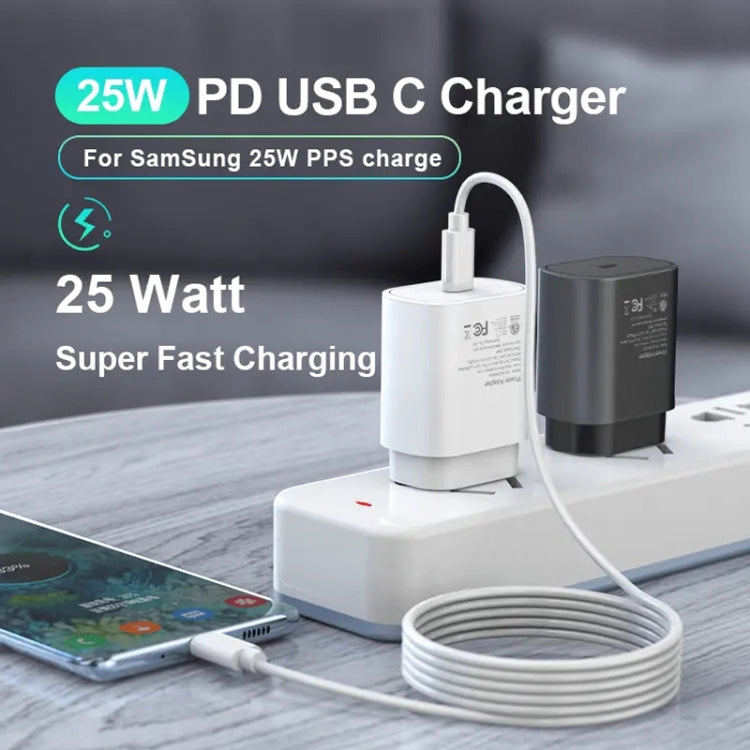
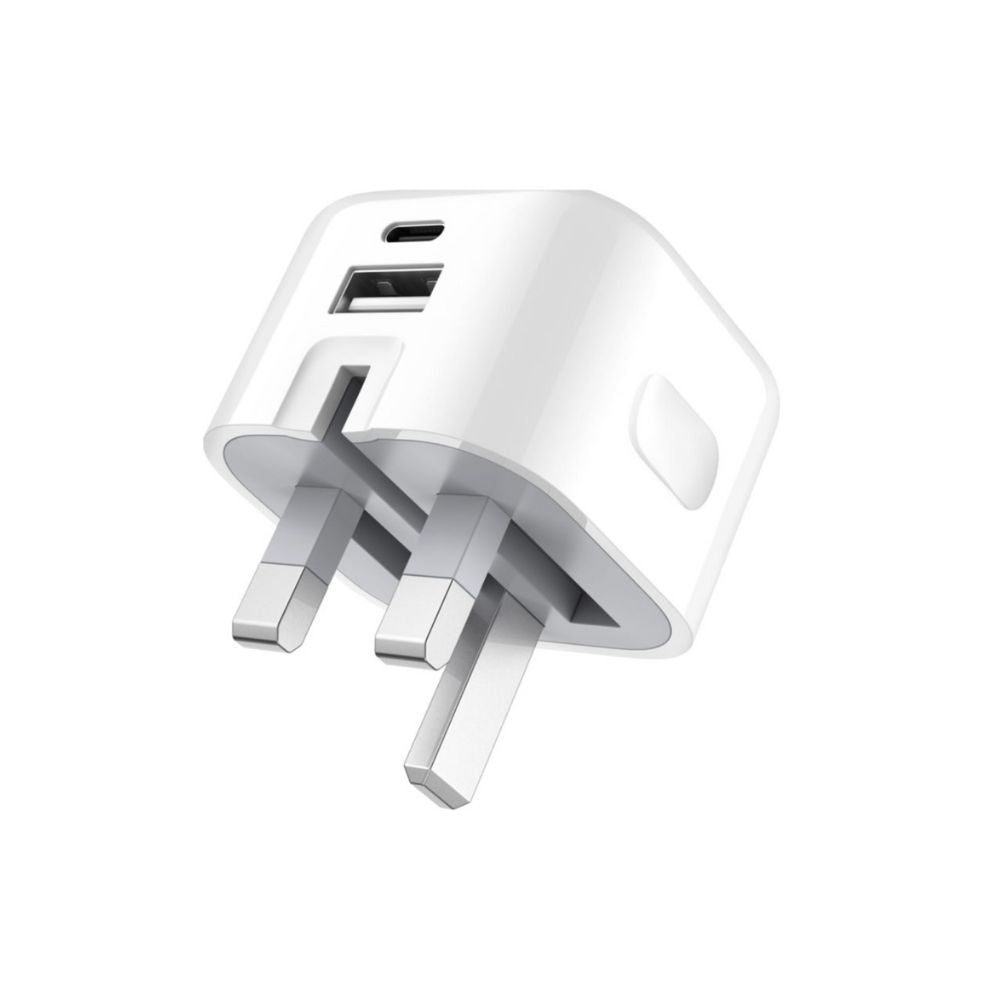
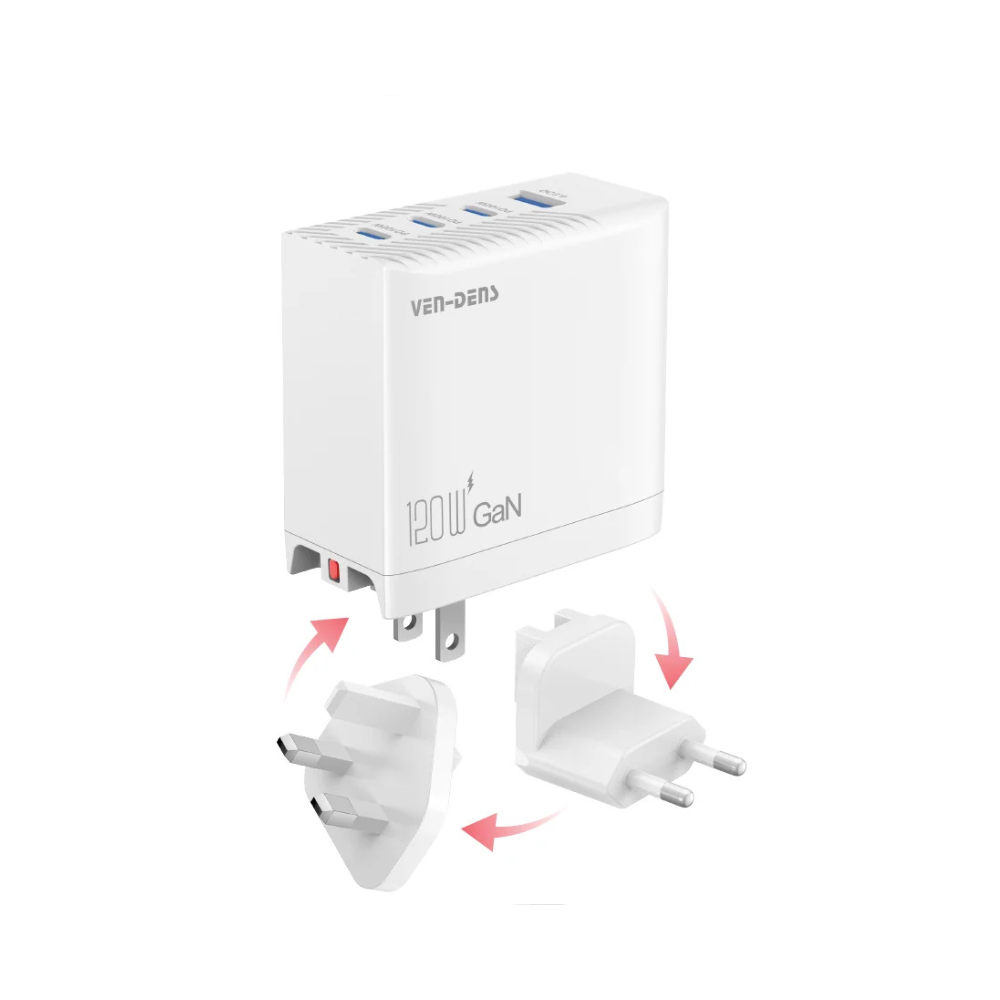
For Samsung users, the TA800 PD / PPS 25W Type-C charger delivers 25W with PPS support for £7.99. If you want one plug for home and travel, the 20W foldable dual USB-A and USB-C adapter at £13.99 charges two devices and folds flat. For laptops and tablets as well as phones, the 120W universal fast charger at £39.99 adjusts power to each device.
Worried about budget cables? Our guide on whether cheap charging cables are safe explains what to check before you buy.
The article names a few chargers and their prices, which are summarised here.
| Charger | Price | Key feature |
|---|---|---|
| TA800 PD / PPS 25W Type-C charger | £7.99 | 25W with PPS support for Samsung users |
| 20W foldable dual USB-A and USB-C adapter | £13.99 | Charges two devices and folds flat |
| 120W universal fast charger | £39.99 | Adjusts power to each device |
Price
Browse Charging Accessories That Suit Your Daily Routine
The evidence points one way: fast charging is not the villain. Heat is. Charge fast when you need to, keep the phone cool, stay in the 30-80% window where you can, and use a charger that matches your device. Do that, and speed costs you very little.
Browse the charging accessories range and find the setup that fits how you actually use your phone.
Charging well is a small habit with a long payoff. If you want chargers that match your device and protect its battery, Metanoia media has you covered with matched PD and PPS chargers, dual-port adapters and power banks. Get started with Metanoia media and keep your phone charged safely every day.
Frequently Asked Questions
Does fast charging damage your phone battery over time?
Fast charging itself does not automatically damage a lithium-ion battery. The damage comes mainly from heat and from keeping cells at very high or very low charge for long periods. A phone with a working power management integrated circuit limits wattage as the battery fills, so the high-power phase is brief. Using a charger that follows the correct fast charging protocol, keeping the phone cool, and avoiding constant 0-100% cycles will limit long-term impact far more than the charging speed alone.
Is it better for battery health to charge a phone slowly?
Slow charging produces less thermal stress, so it can be gentler on capacity retention over several years. That matters most if you charge overnight or keep a phone plugged in at a desk for hours. For a quick top-up before leaving the house, fast charging is fine because the heat exposure is short. A practical compromise is slow charging overnight and fast charging only when you actually need the speed.
Does fast charging make a phone hotter?
Yes, higher wattage generates more heat, which is why phones use thermal throttling to reduce charging speed when the battery gets warm. Heat is the main driver of battery degradation, so avoid charging under a pillow, in direct sun, or while gaming. Removing a thick case and charging on a hard surface helps heat dissipation. If the phone feels hot to the touch, unplug it and let it cool before continuing.
Is it safe to leave a phone charging overnight?
It is generally safe because modern phones stop charging once the battery is full and switch to a trickle charging state. The bigger issue is staying at 100% for hours, which adds mild stress. Many phones now include optimized charging that delays the final top-up until morning. If yours does not, charging to around 80% before bed and topping up in the morning is a simple way to reduce wear.
