

5 Best Phone Charging Tips for Battery Health That Actually Work

Last Updated: November 13, 2026
Quick Summary
The 5 best phone charging tips for battery health are: keep your phone between 20% and 80% charge, set a charge limit of 80%, avoid long stretches at 100% overnight, keep the phone cool while charging, and use a certified compatible charger and cable. These habits reduce voltage stress and heat, the two main causes of battery wear.
- A charge cycle is one full discharge of capacity, so two 50% to 80% top-ups equal roughly one cycle.
- On iPhone, find the charge limit under Settings, then Battery, then Charging.
- Samsung labels its charge cap Protect battery, found under Battery settings.
- Optimized charging holds the battery near 80% overnight and finishes before your alarm.
- Wireless charging runs warmer than wired because energy is lost in the transfer.
Table of Contents
- Why Your Charging Habits Decide How Long Your Phone Battery Lasts
- Tip 1: Keep Your Phone in the 20-80% Range
- Tip 2: Set a Phone Battery Charge Limit of 80%
- Tip 3: Is Overnight Charging Bad for Your Phone?
- Tip 4: How to Stop Phone Overheating While Charging
- Tip 5: Use a Compatible Charger and Cable
- The Best Way to Charge a Phone Battery, Step by Step
- Check Your Battery Health and Choose the Right Charging Gear
- Frequently Asked Questions
Why Your Charging Habits Decide How Long Your Phone Battery Lasts
Most phone batteries do not fail because of age. They fail because of how they were charged.
Battery health is the measure of how much charge a battery can still hold compared with when it was new.
Here is the part most guides get wrong. They tell you to charge overnight, use any cable you find in a drawer, and never worry about it. That advice was fine for older battery technology.
Below, we break down the five habits that genuinely extend battery lifespan, with the device settings and charging gear that make each one easy.
Tip 1: Keep Your Phone in the 20-80% Range
The single most effective habit is keeping your phone between roughly 20% and 80% charge. Lithium-ion batteries wear fastest at the extremes, so avoiding both a full charge and a deep discharge does more for long-term battery capacity than any app or accessory.
Two things cause that wear. First, a full charge puts the battery under higher voltage stress, and the longer it sits there, the more capacity it loses. Second, draining to empty forces a deeper discharge, and deep cycles use up the battery's limited cycle count faster.
What a charge cycle actually means
A charge cycle is one complete discharge equal to the battery's full capacity, not one trip to the plug. Charging from 50% to 80% twice adds up to roughly one cycle, not two. That is why partial charging is not wasteful; it spreads wear more gently across the same total energy.
The practical version: top up during the day when you can, and stop treating 100% as the goal. If you are heading out and want a full battery, charge to 100% just before you leave rather than leaving it plugged in for hours beforehand.
Tip 2: Set a Phone Battery Charge Limit of 80%
A phone battery charge limit of 80% is a built-in setting on most modern handsets, and switching it on is the easiest change you can make. It caps charging at 80% automatically, so you get the benefit of partial charge without having to watch the battery percentage yourself. The catch is that the setting is named differently and buried in different menus depending on your device, so here is where to actually find it.
On iPhone
On iPhone models that support a charge limit, open Settings, then Battery, then Charging. You will see a charge limit control that lets you set a maximum percentage, typically with 80% as the recommended option. On older iPhone models the equivalent feature is called Optimised Battery Charging, which learns your routine and delays the final stretch to 100% rather than capping the charge outright. If you cannot find a charge limit slider, your model relies on Optimised Battery Charging instead, so make sure that toggle is on.
On Android
The naming varies by manufacturer, but the function is the same. On many Android phones the option sits under Settings, then Battery, then Charging optimisation or Battery protection. Samsung devices typically label it Protect battery, while other manufacturers use terms such as Battery care, Adaptive charging or Charge limit. Some Android phones also offer a toggle to cap charging at 80% only when you are at home or on a schedule, which is useful if you want the protection without losing full capacity on travel days.
Should you use it every day?
Not necessarily. If you are at a desk or near a charger most of the day, an 80% cap costs you nothing and protects battery longevity. If you regularly work long shifts away from power, switch the limit off and charge fully. Flexibility matters more than rigid rules.
Watch out: leaving the cap on before a long journey is the most common mistake here. You will leave with 80% and no way to top up, so turn the limit off the night before travel.
Tip 3: Is Overnight Charging Bad for Your Phone?
Overnight charging is not the villain it is made out to be, provided your phone has optimised charging switched on.
Modern phones handle this well. Optimized charging, also called adaptive charging on some devices, learns your routine and holds the battery around 80% overnight before finishing the charge just before your alarm.
If your phone does not offer that feature, a simple plug timer or charging your phone in the evening instead of overnight solves the same problem. The goal is the same either way: minimise the time your battery spends at 100%.
Tip 4: How to Stop Phone Overheating While Charging
Heat is widely recognised as a major cause of battery degradation, and charging generates heat.
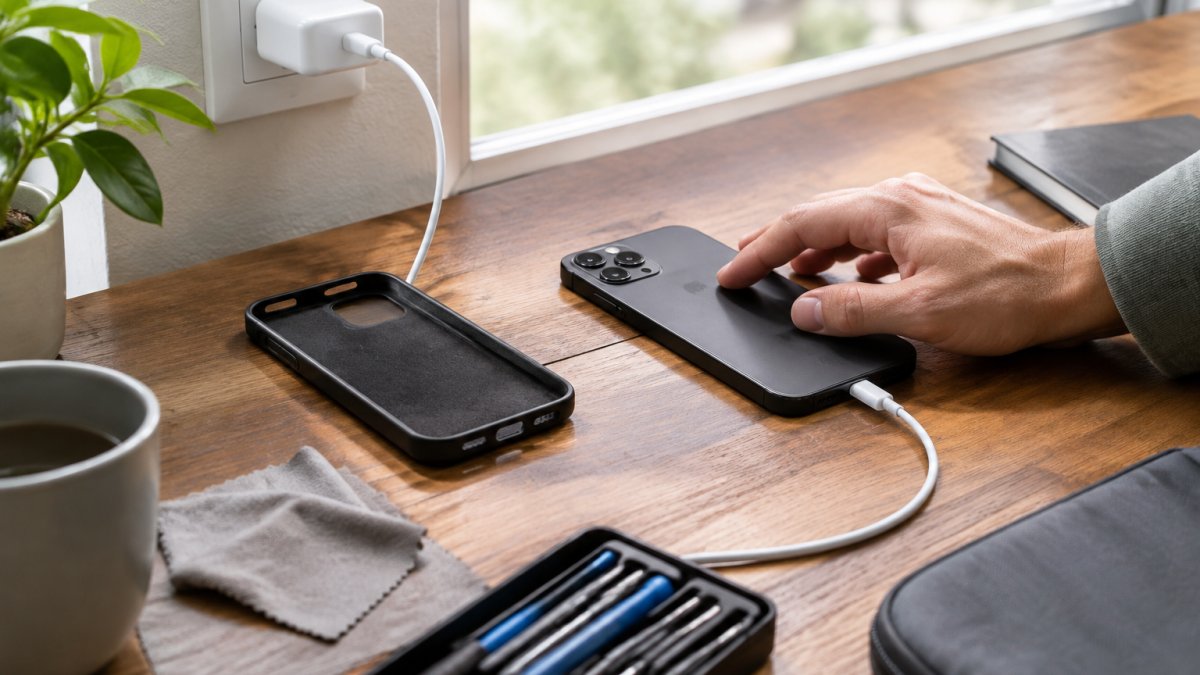
Fast charging adds more heat than slow charging, so use it when you need speed and standard charging when you do not.
If your phone gets hot every time it charges, check the charger and cable before blaming the battery. A mismatched or damaged power adapter can push current inefficiently and generate excess heat. That leads directly to the fifth habit.
Tip 5: Use a Compatible Charger and Cable
Compatible charging gear is not a marketing nicety; it is a battery health decision. If you want to understand the risks in detail, our guide on why certified mobile charging cables matter covers what the certification actually guarantees. For a closer look at the budget end of the market, read is buying cheap charging cables safe, and if durability is your concern, our fast charging cable durability testing explains how cables hold up over time.
For a multi-device setup, a 3 in 1 magnetic wireless charger keeps a phone, watch and earbuds topped up from one stand. If you simply need a reliable replacement cable, this PD20W USB-C to 8 Pin charging cable supports fast charging at 1m, 2m or 3m lengths.
Fast, wireless or wired: a practical decision guide
The right method depends on how much time you have, how much heat you can tolerate, and what the phone is doing while it charges.
| Charging method | Speed | Heat | Best for |
|---|---|---|---|
| Wired fast charging | Fastest | Moderate to high | Quick top-ups before heading out |
| Wireless charging | Slower | Higher | Desk and bedside convenience |
| Standard wired charging | Slowest | Lowest | Overnight and long sessions |
Wired fast charging wins when time is short. Wireless wins on convenience. Standard wired charging is the gentlest option for battery wear.
A sensible pattern is to use fast wired charging only when you need a quick top-up, reach for standard wired charging overnight or during long desk sessions, and treat wireless charging as a convenience for short, cool periods rather than a full-time habit.
Matching the charger to your phone
Compatibility is about more than the plug fitting. Your phone requests a particular voltage and current profile, and a certified charger negotiates that profile with the device. A mismatched or damaged adapter can push current inefficiently and generate excess heat, which is why a charger that feels hot to the touch or a cable with a frayed connector should be replaced rather than persevered with. Look for chargers that state support for the fast-charging standard your phone uses, and prefer certified cables over unbranded ones where the protection circuitry is unknown.
The Best Way to Charge a Phone Battery, Step by Step
The best way to charge a phone battery is a short, repeatable routine: partial charges, a cap at 80%, cool conditions and compatible gear. Here is the sequence we recommend.
- Plug in between 20% and 40%. Do not wait for the low battery warning.
- Charge to 80% and stop. Use your device's charge limit if it has one.
- Remove the case if your phone warms up noticeably while charging.
- Charge on a hard surface, never under bedding or cushions.
- Use the original or a certified adapter matched to your phone's fast-charging standard.
- Switch on optimized charging if you charge overnight.
- Go full to 100% only before travel or a long day away from power.
Run that routine for a month and the difference is not dramatic day to day. It shows up a year later, when your battery capacity is still holding steady instead of sliding.
Check Your Battery Health and Choose the Right Charging Gear
You cannot manage battery health without measuring it. Both iPhone and most Android phones now report maximum capacity as a percentage under battery settings, alongside cycle count on newer models.
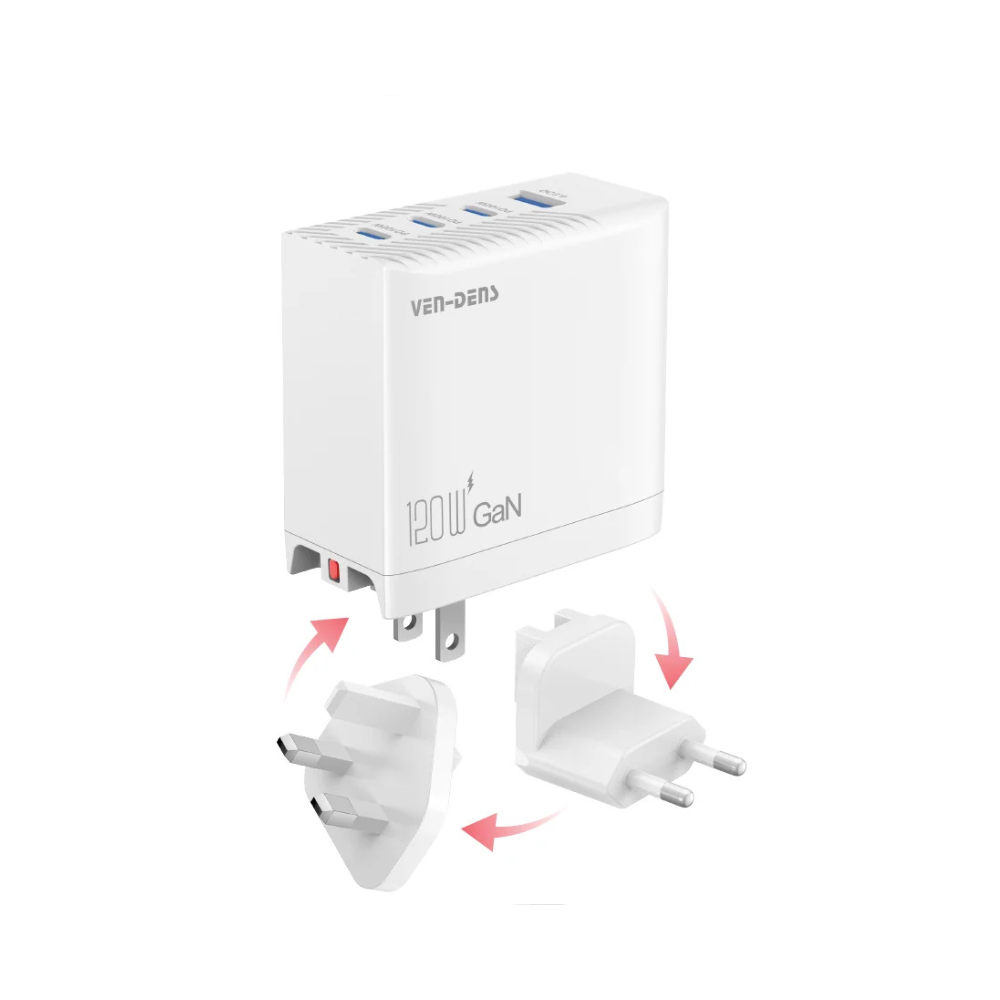
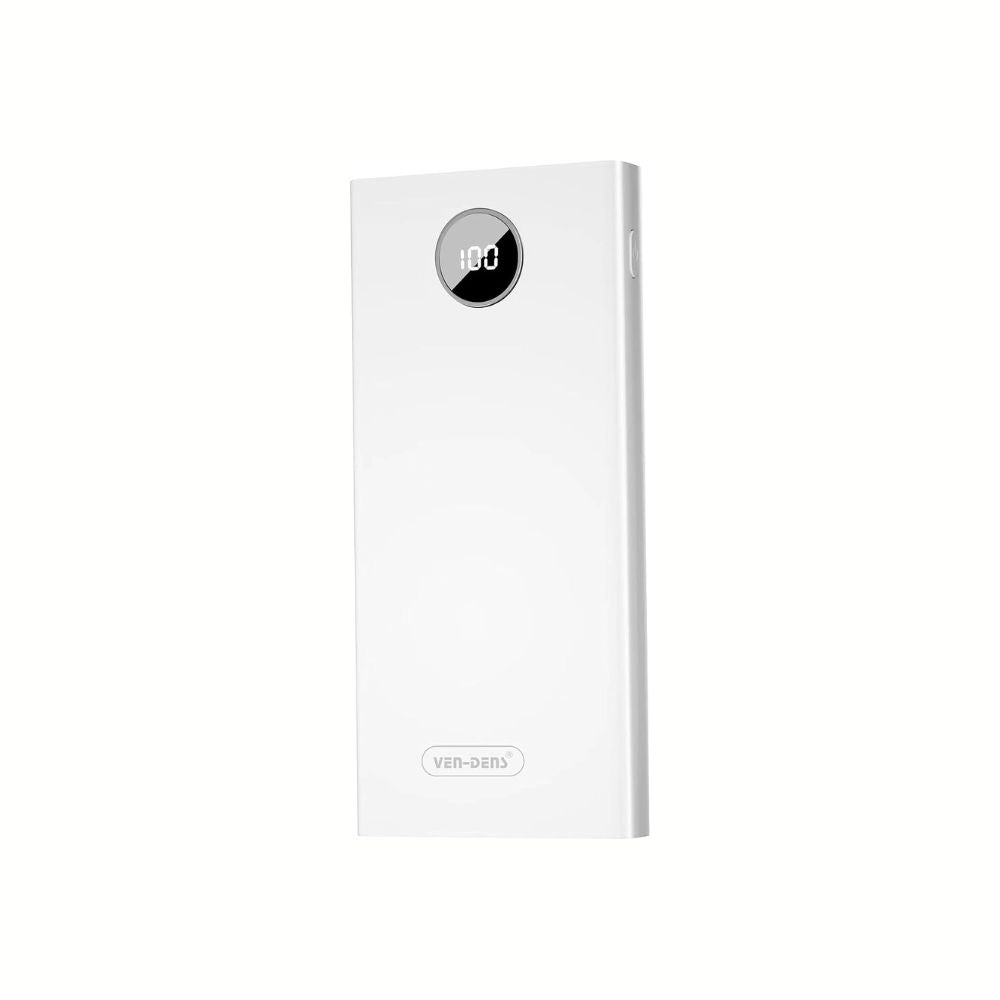
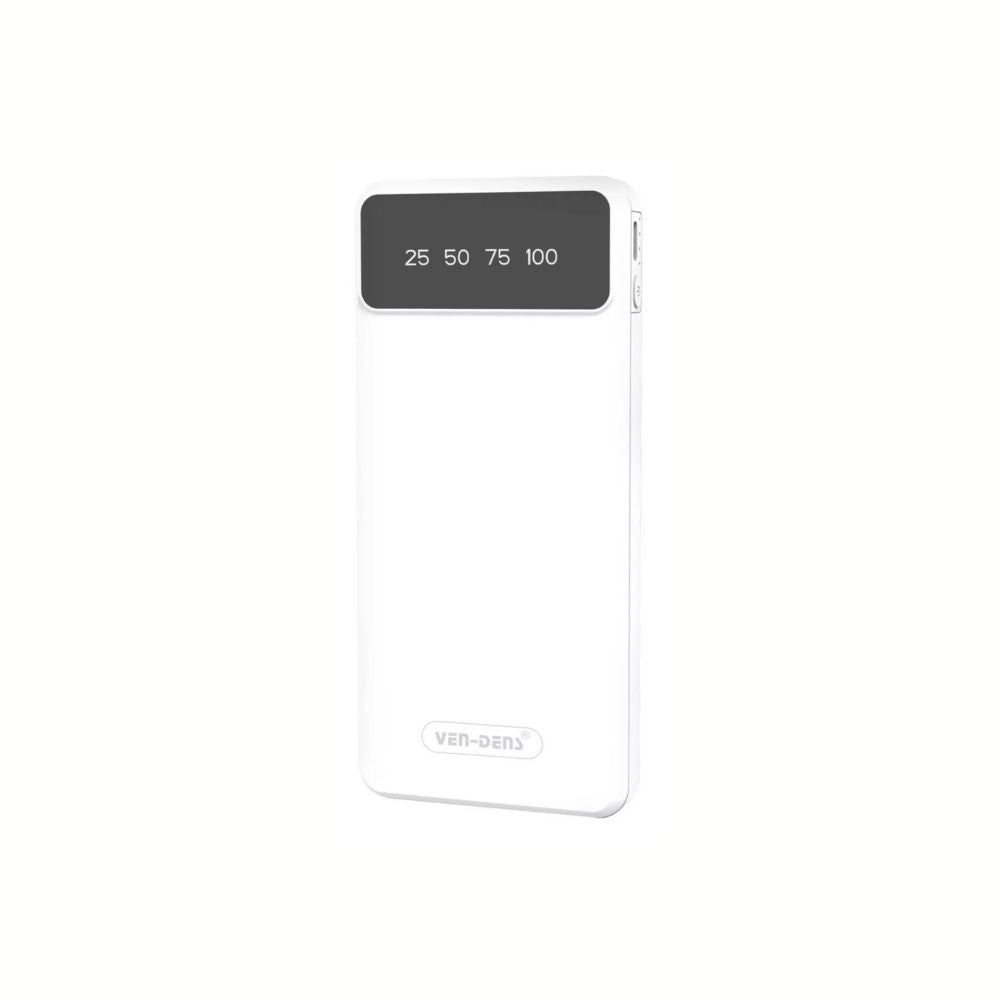
When it is time to replace your gear, match the accessory to the routine. A 120W universal fast charger at £39.99 can charge laptops, tablets and phones from one plug, with built-in overheating and overcharging protection. For charging away from a socket, the 20000mAh power bank with built-in cables at £22.99 has an LED digital display showing battery percentage, while the 10000mAh 3 in 1 power bank at £19.99 suits a bag or commute.
None of these habits require effort once they are set up. That is the point. The best charging routine is the one your phone runs for you.
Your battery will degrade eventually; that is chemistry, not failure. What you control is how fast it happens. Metanoia media stocks the chargers, cables and power banks that make a gentler charging routine practical, from certified fast-charging cables to multi-device wireless stands.
Frequently Asked Questions
Is it better to charge your phone to 80%?
For most lithium-ion phones, yes. Keeping the battery around 80% instead of pushing to 100% every time reduces the time it spends at high voltage, which is where most wear happens. You do not need to be strict about it. Charge to 80% on ordinary days and go to 100% before a long trip or a heavy day out. Many phones now have a built-in charge limit setting that stops at 80% automatically, so you can set it once and forget it.
Should I let my phone battery drain completely before charging?
No. That advice belongs to older nickel-based batteries and does not apply to modern lithium-ion cells. Draining to 0% regularly puts extra stress on the battery and can leave it unable to accept a charge if it sits empty for weeks. Top up through the day instead. If you notice the phone shutting down at 10% or 15%, that is a sign the battery is ageing and worth checking your maximum capacity reading.
Does fast charging damage a phone battery?
A compatible fast charger that follows the phone's own power negotiation is safe. The phone asks for what it can handle, and the charger adjusts. Problems come from cheap unmatched adapters, damaged cables and charging in a hot place, because heat does more damage than speed. Use a charger with overcurrent and overvoltage protection, keep the phone out of direct sun while it charges, and slow down to a standard charger overnight if you want to be cautious.
How often should I charge my phone to maintain battery health?
Little and often beats one long session. Two or three short top-ups across the day, keeping the charge level between roughly 20% and 80%, is easier on the battery than running it flat and refilling to 100%. Most people land on one overnight charge plus a top-up in the late afternoon. If you use your phone heavily for navigation or video, a power bank keeps you in that range without hunting for a socket.
Does heat affect phone battery health while charging?
Heat is the single biggest accelerant of battery degradation. Charging generates heat on its own, so adding a thick case, a sunny windowsill or a duvet-covered surface pushes the cell past its comfortable range. Take the case off during fast charging, charge on a hard surface, and never leave the phone on a radiator or in a parked car. If the phone feels hot to the touch, unplug it and let it cool before continuing.
