

What Are the Best Home Organization Tools for Families in 2026?

Last Updated: October 26, 2026
Quick Summary
The best home organization tools for families combine digital apps for shared calendars, reminders and chore lists with physical storage like command centres, labelled baskets and file boxes. Match the mix to your household size, and declutter before buying any storage. Metanoia Media offers a desktop storage box at £13.99, a Deli A4 file box at £4.99 and a double-layer electronics organizer at £6.99.
- Judge a family organiser app on shared access, two-way calendar sync, reminders, task assignment, privacy and account sharing.
- Check that you can export data as iCalendar or CSV and find the in-app account deletion route before committing.
- Keep the app small: one calendar, one task list and one shared shopping list suit most households.
- Clear clutter first, measure second and buy storage third, because storage bought too early just tidies what you do not need.
- The three-grid desktop storage box has transparent drawers and measures 22.8 x 16.6 x 7.7 cm.
Table of Contents
- Why Families Need a Mix of Digital and Physical Organization Tools
- Best Family Organiser Apps for Shared Calendars and Tasks
- How a Family Chore Chart Keeps Household Tasks on Track
- Building a Family Command Centre That Actually Works
- Decluttering Tips for Families: Start Small, Stay Consistent
- Matching Home Organization Tools to Your Family Size and Layout
- Choosing Your First Home Organization Tools from Metanoia Media
- Frequently Asked Questions
Why Families Need a Mix of Digital and Physical Organization Tools
Home organization tools for families work best as a two-part system: digital tools handle scheduling, reminders and shared lists, while physical storage handles the objects those lists are about. Skip one half and the other collapses. A shared calendar cannot stop four pairs of trainers piling up by the door, and a shelf of labelled baskets cannot remind anyone that the boiler service is due.
That split is the throughline of this guide. A household that buys only boxes ends up with tidier clutter. A household that buys only an app ends up with a perfect schedule and no idea where the passport is.
The best home organization tools for families in 2026 fall into four practical groups:
- Shared calendar apps for appointments, school dates and who is where
- Chore charts and task lists for dividing household work
- Command centres for keys, post, chargers and paperwork
- Decluttering routines that stop the storage filling up again
Below, we break down each group and how to match it to your household size and layout.
Best Family Organiser Apps for Shared Calendars and Tasks
The best family organiser app is the one every adult in the house will actually open. That is usually the app already installed on their phone, not the one with the longest feature list. A shared calendar only works if both partners add to it, and the same is true of shared lists, reminders and chore tracking.
What to Look For in a Family Organiser App
Judge an app on six things before you commit:
- Shared access for every adult, with a free plan that covers at least two users and does not lock the second adult out of reminders
- Calendar synchronization with the calendars people already use, including two-way sync so an edit in one place appears everywhere
- Reminders that fire on the right device, not just the account owner's, and that survive a phone restart
- Task management that lets you assign a chore to a named person and mark it done from a shared list
- Privacy and data handling: what the app stores, where it stores it, whether you can export it, and what happens to children's data when an account is closed
- Account-sharing model: whether the household shares one login or each adult has their own profile, because shared logins break down when passwords change
Privacy and Data Handling: The Question Most Guides Skip
Family organiser apps hold some of the most sensitive routine data a household generates: who is where, when children finish school, appointment times and sometimes location. That deserves more than a glance at the privacy policy.
A practical check before you commit:
- Data minimisation: does the app need a child's full name and date of birth, or will a first name and initials do? Enter the minimum.
- Export: can you download your calendar and lists in a standard format such as iCalendar (.ics) or CSV? If you cannot export, you cannot leave cleanly.
- Account deletion: find the deletion route before you need it. A clear in-app deletion option is a better sign than an email address buried in a policy.
- Sharing scope: check whether a shared list is visible to everyone in the household or can be limited to named adults, and whether invite links expire.
- Notifications on shared devices: if a tablet is used by children, turn off previews for calendar and task notifications so appointment details do not appear on a lock screen.
Matching the App to How Your Household Actually Works
Feature lists matter less than fit.
A useful test before committing: add one real event, assign one real chore, and ask the second adult to complete it from their own device. If that takes more than a couple of minutes, the app will not survive a busy week.
Setup Effort and Ongoing Maintenance
Keep the app deliberately small. One calendar, one task list and one shared shopping list is enough for most households. Adding a second app for meal planning or chores usually means one of them stops being checked, and the household reverts to memory and messages.
Desktop Drawer Storage Box Cosmetics Office Student Stationery Pen Dormitory →
How a Family Chore Chart Keeps Household Tasks on Track
A family chore chart moves household tasks out of memory and into a visible list. Readers working through household routines can find practical steps for organizing tight spaces. The chart does not need to be digital. A whiteboard on the fridge is a chore chart.
Building a Family Command Centre That Actually Works
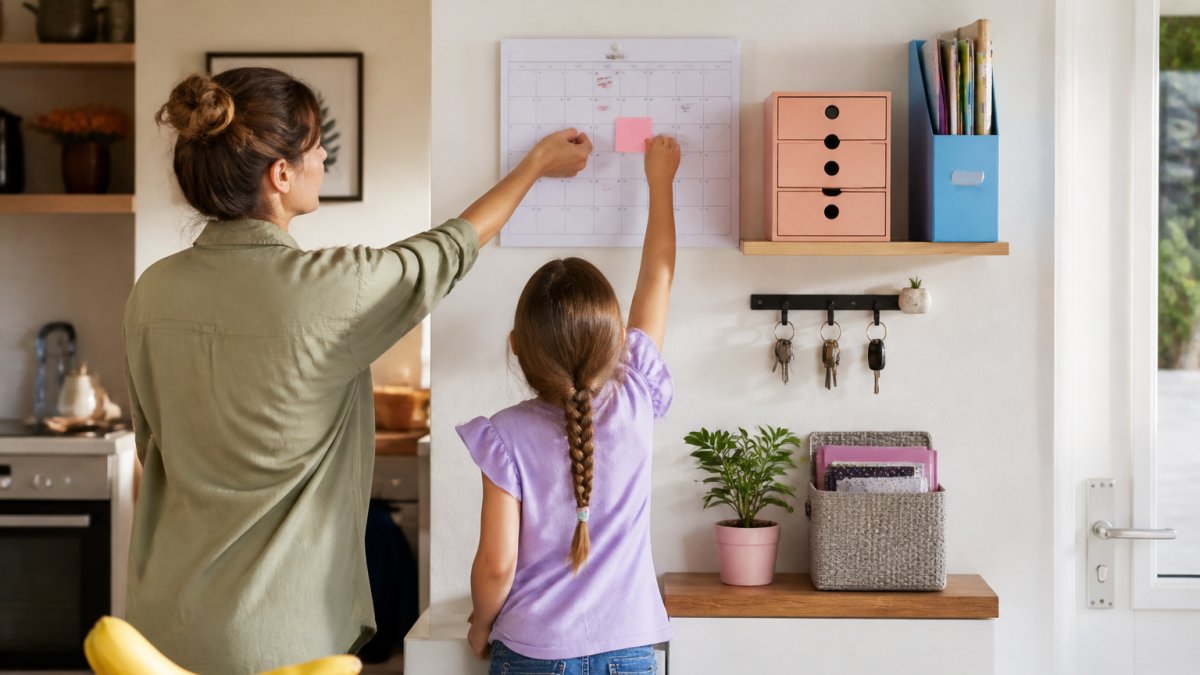
A family command centre can be a single spot near the main entrance for calendars, keys, post, chargers and outgoing items.
Physical Storage Products for Your Command Centre
The three-grid desktop storage box has transparent drawers and measures 22.8 x 16.6 x 7.7 cm. The double-layer cable storage bag is listed for cables, chargers, power banks, phones and other accessories.

The Deli A4 file box is £4.99.
Decluttering Tips for Families: Start Small, Stay Consistent
Watch out: buying storage before decluttering just gives you somewhere tidier to keep things you do not need. Clear first, measure second, buy third.
Matching Home Organization Tools to Your Family Size and Layout
| Household | Priority tool | Physical setup | What to skip |
|---|---|---|---|
| One adult, one child | Shared calendar plus one chore list | Single desk tidy and a key hook | Wall-mounted systems |
| Two adults, young children | Shared calendar with reminders | Low shelf with labelled baskets | High shelves children cannot reach |
| Two adults, teenagers | Task management with individual logins | Charging station plus file box | Chore charts aimed at toddlers |
| Larger or multi-generational | Calendar synchronization across several phones | Expandable organizer with clear labels | Open baskets with no labels |
Choosing Your First Home Organization Tools from Metanoia Media
Metanoia Media offers the desktop storage box at £13.99, the Deli A4 file box at £4.99 and the double-layer electronics organizer at £6.99.
View all.
Frequently Asked Questions
What are the best home organization tools for busy families?
The best home organization tools combine a shared digital calendar for appointments and school assignments with physical storage for everyday clutter. A family organiser app handles scheduling and reminders, while storage bins, drawer organizers and a file box keep paper and small items contained. Metanoia Media offers the Desktop Drawer Storage Box at £13.99 and the Deli A4 File Box at £4.99.
Are digital family organisers better than paper planners?
Digital family organiser apps and paper planners are options for organising family schedules and tasks. The right choice depends on how comfortable each family member is with technology.
How can families organise chores and household routines?
Start with a family chore chart that assigns specific tasks to specific people on specific days, rather than a vague list. Pair it with a daily routine posted where everyone sees it, and review the chart weekly to adjust what is not working. Keep tasks small enough to finish in under 15 minutes, and rotate unpopular jobs so the load stays fair. A wall-mounted hook or storage box near the chart keeps pens and supplies in one place.
What is the hardest thing to declutter at home?
Paperwork and sentimental items are consistently the hardest categories for families. School assignments, bills and appointment letters pile up quickly, while children's artwork and old toys carry emotional weight. Use a dedicated file box with a pull-out label to sort paperwork weekly, and set a limit, such as one storage bin per child, for keepsakes. Decluttering tips for families work best when you tackle one category at a time rather than a whole room.
How do I get the whole family to use an organization system?
Make the system visible and low-effort. Put the family command centre where everyone walks past daily, keep the shared calendar synced to each person's phone, and assign tasks through a family chore chart rather than verbal reminders. Start with one habit, such as checking the calendar each evening, and add more once it sticks. Systems that require extra steps or apps nobody opens fail within weeks, so choose tools the whole household can access easily.
