

Quality Check for Online Tech Orders: Buyer's Guide

Table of Contents
- Why a Quality Check for Online Tech Orders Matters
- How to Check If an Online Shop Is Trustworthy
- How to Spot Fake Product Reviews
- How to Check Product Quality Online Before You Order
- Charger and Cable Compatibility: Getting the Spec Right
- What to Inspect When Your Tech Order Arrives
- Returns, Warranty and Evidence Preservation
- Conclusion
- Frequently Asked Questions
Last Updated: October 17, 2026
Why a Quality Check for Online Tech Orders Matters
A quality check for online tech orders confirms the seller is genuine, the listing is accurate, and the device matches what you paid for.
Most buyers do this backwards: research, pay, then hope.
A good seller wants you to inspect your order; a bad one wants you to click "buy" fast and stay quiet afterwards.
Below, we'll show you how to run that check in about 20 minutes, enough to save you a return, a refund fight, or worse.
How to Check If an Online Shop Is Trustworthy
Start with the shop, not the product. A trustworthy store shows clear business details, a real domain, and usable contact information. If any are missing, walk away, however good the deal looks.
Seller Details, Domain and Website Content
Run through this list before you add anything to a basket:
- Business name and address. A registered trading address should be listed. A PO box alone is a warning sign.
- Contact routes. Look for a phone number, email, and a contact form. Test one before ordering.
- Website content quality. Professional design, clear terms, and a real returns policy all signal a genuine operation. Broken pages and copy-paste text do not.
For consumer rights context, the Citizens Advice guide to shopping online explains what protection you should expect from a legitimate retailer.
Risk-Based Checks for Refurbished and Marketplace Purchases
Refurbished, open-box, and marketplace items carry more risk, so ask three questions before you buy:
- What grade is it? "Refurbished" covers everything from like-new to heavily worn.
- What warranty comes with it? A short seller warranty is normal; none is a red flag.
- Who handles returns? On marketplaces, seller and platform policies may differ.
Match effort to risk: a new cable from an established shop needs a quick glance; a refurbished marketplace laptop needs the full checklist.
How to Spot Fake Product Reviews
Fake reviews follow easy-to-catch patterns: a wall of five-star ratings posted in a short window, generic praise with no product detail, and reviewers who have only ever reviewed one item. Check these signals:
- Timing. A cluster of reviews on the same few days suggests a push, not a real customer base.
- Language. Vague lines like "great product, fast delivery" tell you nothing. Real buyers mention specifics.
- Reviewer history. Click the profile. One review, ever? Treat it with suspicion.
The Competition and Markets Authority guidance on fake reviews sets out the rules sellers must follow, and reporting suspicious listings helps everyone.
How to Check Product Quality Online Before You Order
You cannot hold the product, but you can read the signals. The aim is not to judge whether the store is honest, that is a separate check, but whether the listing describes a product that will do what you need. Treat the listing as a claim and verify it against an independent source.
A Pre-Purchase Checklist for Technology Products
Work through this before you pay for any tech item. Each line is a check you can actually perform, not a box to tick on trust.
- Pin down the exact model number. Product names are marketing; model numbers are identifiers. A laptop sold as "Pro 14" may exist in three configurations with different processors, memory and screens. Find the manufacturer's model code and search for it directly.
- Cross-check the specification against the manufacturer's own page. Compare processor, memory, storage, screen size and resolution, battery capacity and ports line by line. Sellers sometimes list a higher-spec variant's details against a lower-spec price.
- Confirm the condition wording. "New" should mean sealed and unused. "Open box", "ex-display", "refurbished" and "grade A/B/C" all mean something different, and the grade scale is set by the seller, not by law. Ask what the grade means in practice, scratches, battery health, missing accessories.
Separating Seller Legitimacy from Product Quality
These are two different checks that fail in different ways. A legitimate, long-established retailer can list a product that does not match your needs, and a slick storefront can sell a misdescribed item. Run the seller checks to decide whether to trust the shop, and the listing checks to decide whether to trust the product. A purchase only passes both when the shop is genuine and the listing is accurate.
Risk-Based Checks for Refurbished, Open-Box and Marketplace Purchases
These purchase types carry condition and warranty risks a new-item listing does not, so ask extra questions before you commit:
- What is the battery health? For phones and laptops, ask for the reported battery health or cycle count. A refurbished laptop at 80% battery health will not last a working day, whatever the grade says.
- What is included in the box? Refurbished items frequently ship with a third-party charger or none at all. Confirm the cable, plug and accessories are listed.
- Who handles the warranty and the return? On a marketplace, platform buyer protection and the seller's own policy may differ. Check which applies to post-delivery faults, and for how long.
- Is the item network-locked or account-locked? A second-hand phone still tied to a previous owner's account, or locked to a network, may be unusable. Ask explicitly and get the answer in writing.
Match effort to risk: a new cable from an established shop needs a quick glance at connector and power rating; a refurbished marketplace laptop needs every line above, plus the device-testing procedure you will run on arrival.
Charger and Cable Compatibility: Getting the Spec Right
Compatibility is where most tech orders go wrong, and it is avoidable. Check three things before you buy: connector type, power rating, and charging standard.
A cable that fits is not the same as a cable that works. A low-power cable charges a phone slowly and may not charge a laptop at all. Match wattage to the device and confirm the plug type it expects.
| Check | What to Confirm | Why It Matters |
|---|---|---|
| Connector | USB-C, Lightning, or micro-USB | Wrong plug means a dead order |
| Power rating | Watts the cable and charger support | Underpowered gear charges slowly or not at all |
| Standard | PD, QC, or manufacturer-specific | Mismatched standards can block fast charging |
| Length | Reach you actually need | Too short is a daily annoyance |
What to Inspect When Your Tech Order Arrives
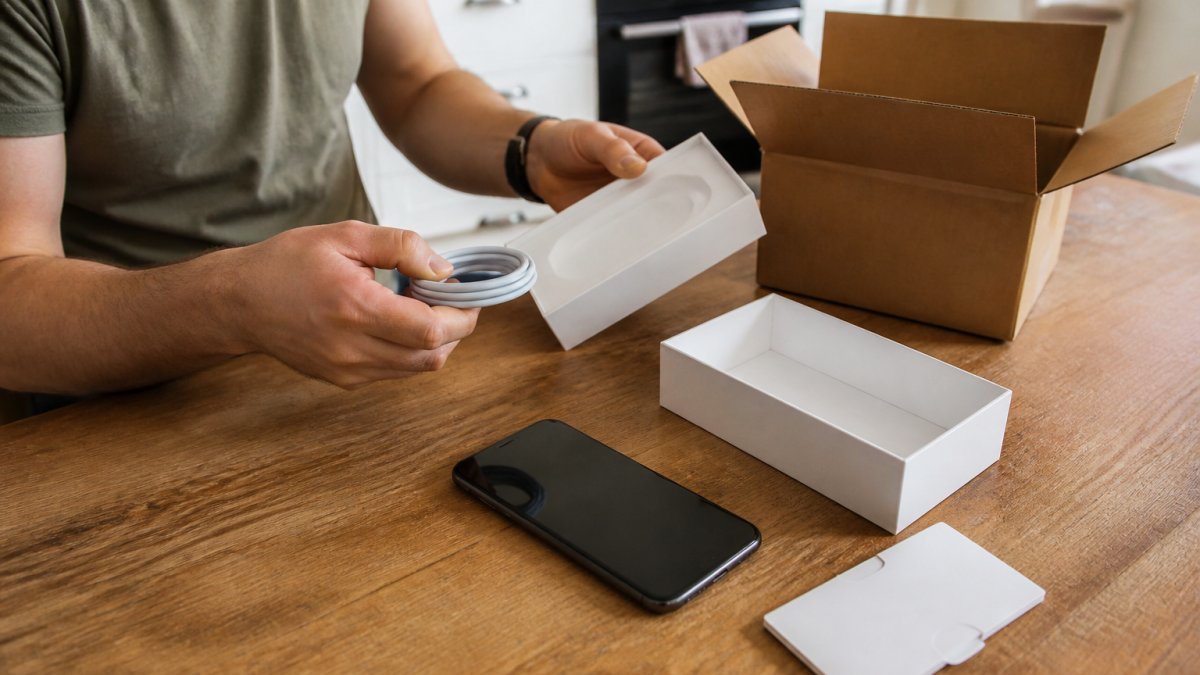
Inspect the parcel before you open the product, and the product before you use it. The goal is to establish, on delivery day, whether what arrived matches what you ordered, while the evidence is fresh and the returns window is wide open.
The Parcel and Packaging Check
Before you open anything, photograph the outer box from a few angles, including any dents, crushed corners, tears or water marks. Then check the contents against the packing slip and listing: device, cable, plug, adapters, manual and warranty card.
Look for tampering, a resealed flap, a cut-and-taped security seal, or a box that does not match the product inside. If anything is wrong, photograph it before touching the device further and contact the seller the same day.
A Repeatable Device Testing and Acceptance Procedure
Run the same sequence every time. It takes ten to fifteen minutes and catches most defects while you still have clear grounds to return the item.
- Photograph the parcel and the open box before removing the device, showing any damage and the full contents.
- Inspect the device itself for scratches, dents, scuffs, dust in the ports or signs of prior use. Compare what you see against the condition wording in the listing.
- Locate and record the serial number or IMEI. Check it matches the number on the box and, where the manufacturer offers one, on their warranty or registration page. A mismatch is a serious red flag.
- Power it on and complete setup. Note whether it asks you to sign in with a previous owner's account, on a second-hand phone or laptop, an activation lock means the device is not yours to use.
- Test the display. Open a plain white image and a plain black image full-screen and look for dead pixels, bright spots, backlight bleed at the edges or uneven colour. Check the touchscreen across all four corners, not just the centre.
- Test every port and button. Plug something into each USB, HDMI or audio port; press every physical button; check the speakers and microphone; test the camera and any card reader.
- Test charging and the battery. Plug in the supplied charger and cable, confirm the device reports charging, and check the battery health or cycle count if the device exposes it. Charge for a few minutes and confirm the cable and plug work together, not just that the device accepts power.
- Test wireless connectivity. Connect to Wi-Fi, pair a Bluetooth device if you have one, and confirm mobile data works on a phone with a SIM.
- Run a short real-world task. Play a video, open several browser tabs, or make a call, enough to show the device does not overheat, crash or throttle within minutes.
- Keep the serial number with your order confirmation and store your photos and screenshots together.
If a fault appears at any step, stop and report it the same day, in writing, with photos attached. Early contact makes a return far simpler, and a written record from delivery day beats a phone call a fortnight later.
Documenting What You Find
Keep a single folder, physical or digital, with the order confirmation, dated listing screenshot, parcel and unboxing photos, serial number, and any messages with the seller. If the device passes every check, the folder costs nothing and closes quietly when the warranty ends. If it fails, it is the difference between a straightforward remedy and a dispute you cannot evidence.
Returns, Warranty and Evidence Preservation
Keep your evidence until the returns window closes, and ideally until the warranty ends: order confirmation, listing screenshot, unboxing photos, and any messages with the seller.
Under UK consumer law, goods must be as described, of satisfactory quality, and fit for purpose. If they are not, you have the right to a remedy. The official government guidance on accepting returns and refunds explains your options in plain terms.
A few habits protect you:
- Report faults in writing, not by phone
- Keep the original packaging until you are sure you are keeping the item
- Photograph any defect before returning the product
Conclusion
A quality check for online tech orders is not paranoia. It is a short, repeatable process that separates a good purchase from a costly mistake. Check the seller, read reviews properly, confirm compatibility, and inspect the delivery the day it lands.
Browse our tech and charging range for reliable gear for your daily routine, or view all to see the full selection.
Frequently Asked Questions
How can you check the quality of a tech product before buying it online?
Start with the listing itself. Check the full specification, not just the headline features: dimensions, materials, power ratings and what is included in the box. Look for clear, original product photos rather than stock images, and read reviews that mention long-term use rather than first impressions. Search the model number to confirm it is a genuine product with a manufacturer's warranty. If the seller cannot confirm a warranty or the specs are vague, treat that as a reason to pause before you place the tech order.
How do you tell whether an online shop is trustworthy?
Check that the shop shows a full trading name, a registered business address and a working contact method, not just an email form. Look at the domain: a recently registered site with no history deserves more scrutiny. Read the delivery and returns pages in full, since missing or vague policies are a warning sign. Outside reviews on independent sites give a clearer picture than testimonials hosted on the shop itself. If anything about the seller verification feels thin, order a small item first rather than committing to a large purchase.
What should you do if an online tech order arrives damaged or faulty?
Photograph the packaging and the item before you unpack fully, then test the device straight away rather than leaving it in the box. Report the fault to the seller in writing within the first few days, keeping copies of every message. Under the Consumer Rights Act 2015, goods must be of satisfactory quality, fit for purpose and as described, and you have a short-term right to reject faulty goods within 30 days of delivery. Keep the original packaging until you are sure the item works.
How can you check whether a charger or cable is compatible with your device?
Match the connector type first, then the power rating. Check the wattage your device expects and confirm the charger meets or exceeds it, since a lower-rated charger will charge slowly or not at all. For USB-C, look for the correct Power Delivery rating rather than assuming all USB-C cables are equal. Read the listing for supported standards and cable length, and avoid unbranded cables with no stated specifications. A charger that lists its output in watts and volts is far easier to verify than one that only says 'fast charging'.